
Getting paid in Escape is split the way your shop already works: the office runs invoicing; techs collect on site.
For office: sending an invoice
- Start from the job, so the invoice is attached to the right customer and visit.
- Add the lines: work performed, parts, your prices from the price book.
- Send. The customer gets the invoice by text and email with a link to pay online by card.
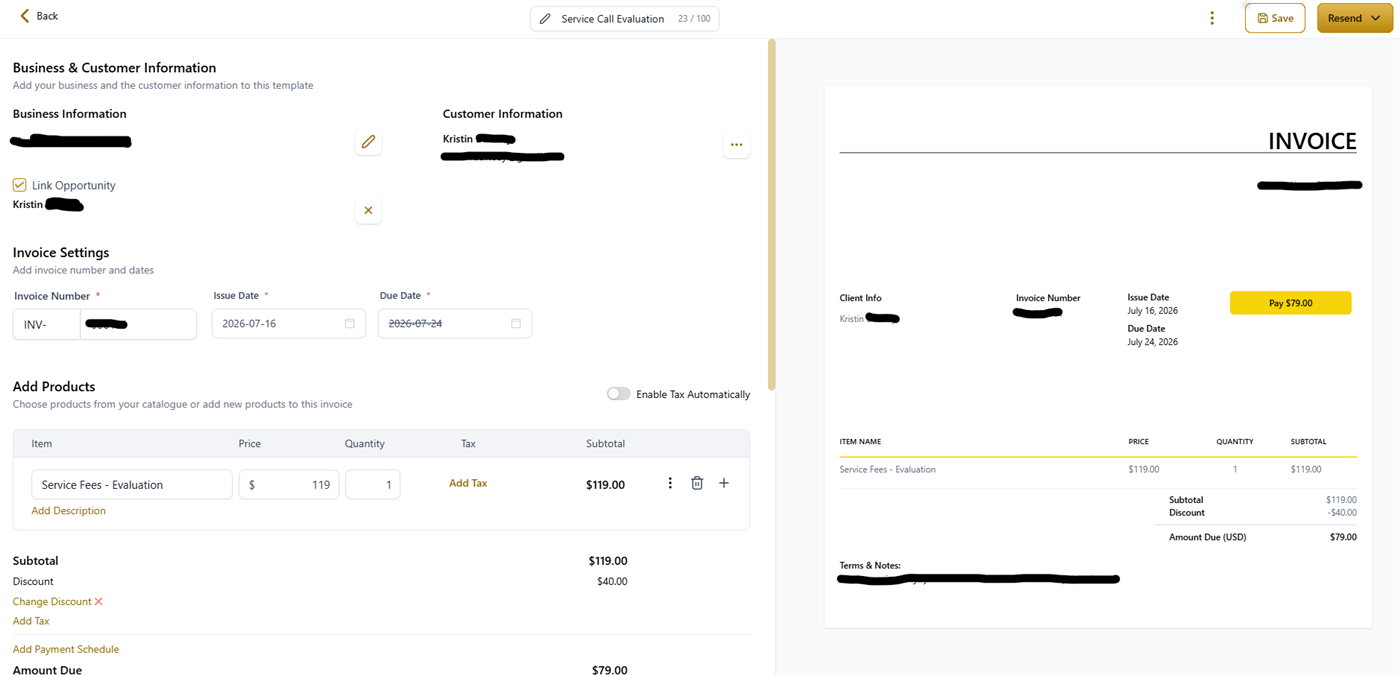
Once it's sent, you're done touching it: Escape watches the invoice, reminds the customer automatically if it goes unpaid, and stops the moment money lands. A paid invoice also marks the job won on the board.
For office: recording a payment
Customer paid by cash or check? Record it on the invoice so the books stay true and the reminders stop:
- Payments → Invoices & Estimates → All Invoices
- Click the invoice.
- Three dots (top right) → Charge a Card or Record Manually. Record Manually covers cash, checks, and other payment types.
For techs: collecting on site
The best move: send the invoice while you're still in the house. The customer gets it by text, pulls it up on their phone, and pays the link right there at the kitchen table — done before you're back in the truck. Card runs online, receipt sends itself.
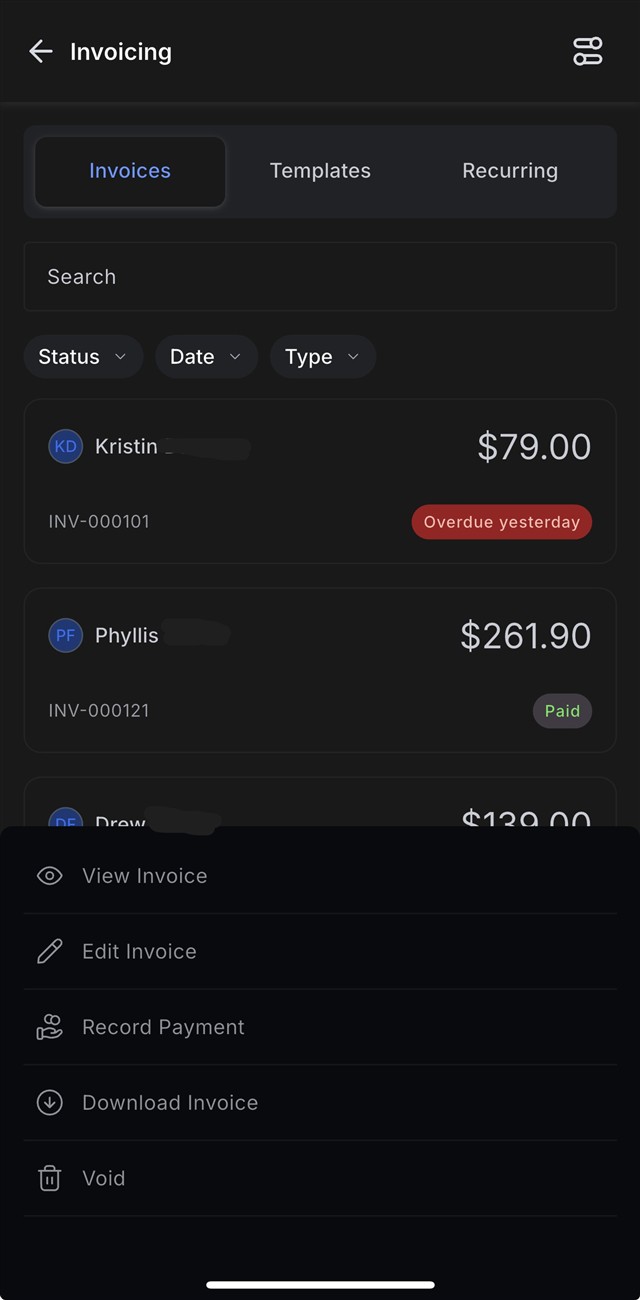
Took cash or a check instead? Record it in the app so the invoice closes out:
- Open the Invoices section in the app.
- Find the invoice and press and hold on it.
- Choose Record Payment and pick the payment type.
Collecting before you leave the driveway is the single best habit for your cash flow — an invoice that gets paid on site never becomes a collections problem.
Where the money goes
Payments land in your own payment account, connected during onboarding. Escape never holds your money. Questions about payouts or your payment account? Contact support.