
Here's exactly what happens on the customer's side of a DEB estimate — and what lands on yours at the end.
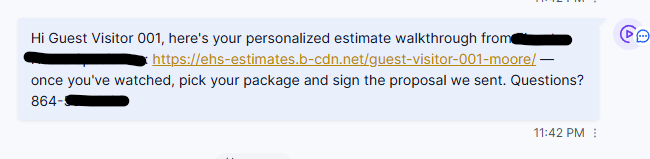
1. They get one text
After your tech sends the proposal and you approve the video, the customer receives a single text with a link. It opens on any phone — no app, no account, no password.
They were never notified when the proposal itself was sent. The first thing they hear from you is the video.
2. The video plays first
The page opens on your personal video: what was found, what's being recommended, and why — with their real numbers spoken out loud. This is the kitchen-table conversation, on their schedule. They can rewatch it, or show it to the spouse who wasn't home.
The proposal sits one tap below the video. That order is the whole design: the customer cannot reach the price without passing the pitch.
3. They choose their options
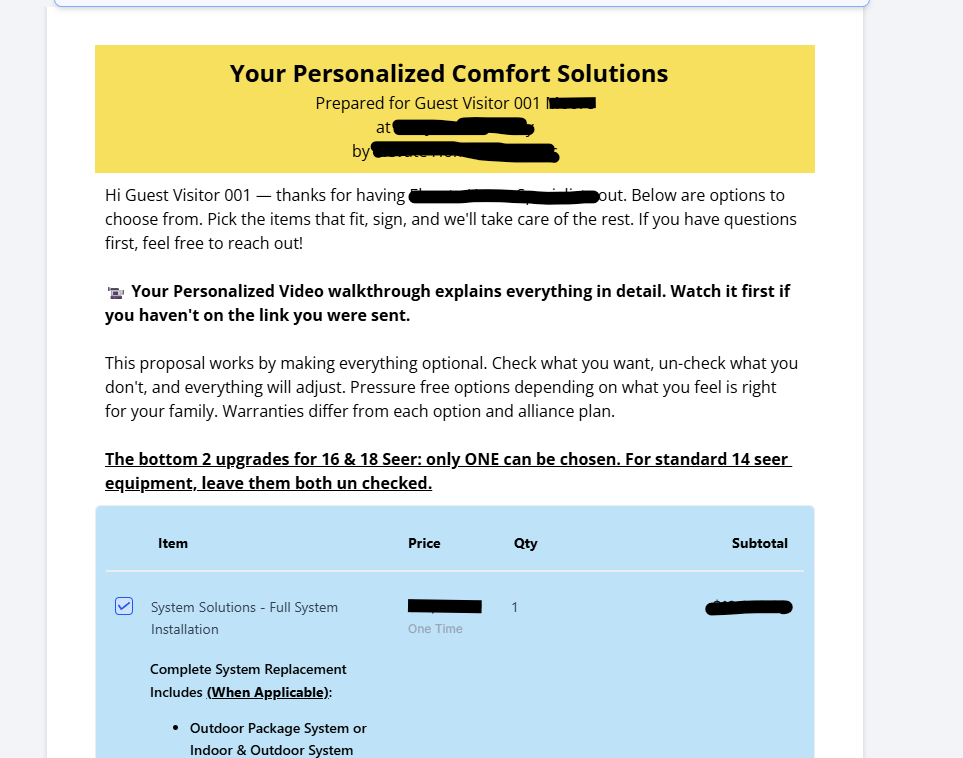
They open the proposal and check the options they want. The work your tech marked as core scope is presented as the job; everything else is presented as an add-on they can choose. The total updates as they check boxes.
4. They sign
One choice made, they sign electronically — a finger on the phone screen. The signed proposal is stored on their record automatically.
5. They put down the deposit
Right after signing, they're taken to the deposit payment. Sign and pay happen in the same sitting — which is exactly when commitment is highest. (If the deposit doesn't land immediately, automatic chasing takes over.)
6. Your office gets a scheduling task — instantly
The moment the proposal is signed, a scheduling task lands with your office: signed, funded, ready to book. No one has to notice an email or check a folder — the job shows up asking to be scheduled.
What your team should do
- Schedule fast. A customer who just signed and paid a deposit is at peak excitement — book the install while it's hot.
- Questions mid-decision land in your inbox like any other conversation — answer them quickly and the close usually follows.